Overview
Sora has rapidly evolved from a research preview to the industry standard for AI video generation. Developed by OpenAI, Sora utilizes a "diffusion transformer" architecture—combining the text understanding of GPT-4 with the visual generation capabilities of diffusion models. While early versions amazed the world with silent clips, the latest iterations of Sora (often referred to as Sora 2.0 in technical circles) have introduced synchronized audio, character consistency, and a dedicated mobile app that functions similarly to TikTok.
The core promise of Sora is to simulate the physical world in motion. It doesn't just animate pixels; it understands how objects exist in 3D space, how light reflects off wet surfaces, and how hair moves in the wind. This deep understanding allows Sora to generate videos up to 20 seconds long (or longer for Pro users) that maintain coherence from start to finish. Whether you are a filmmaker needing a storyboard, a marketer creating a social media ad, or just a user scrolling through the Sora app’s endless feed of AI-generated content, Sora is redefining the boundaries of digital creativity. By turning a single sentence into a cinematic experience, Sora is effectively a "world simulator" accessible to anyone with an internet connection.
Key Features
- Text-to-Video with Audio: The flagship feature of Sora is its ability to generate high-fidelity video clips from text prompts. Unlike its predecessors, the current version of Sora automatically generates synchronized audio—footsteps, ambient noise, and even dialogue—making the output immediately ready for publication.
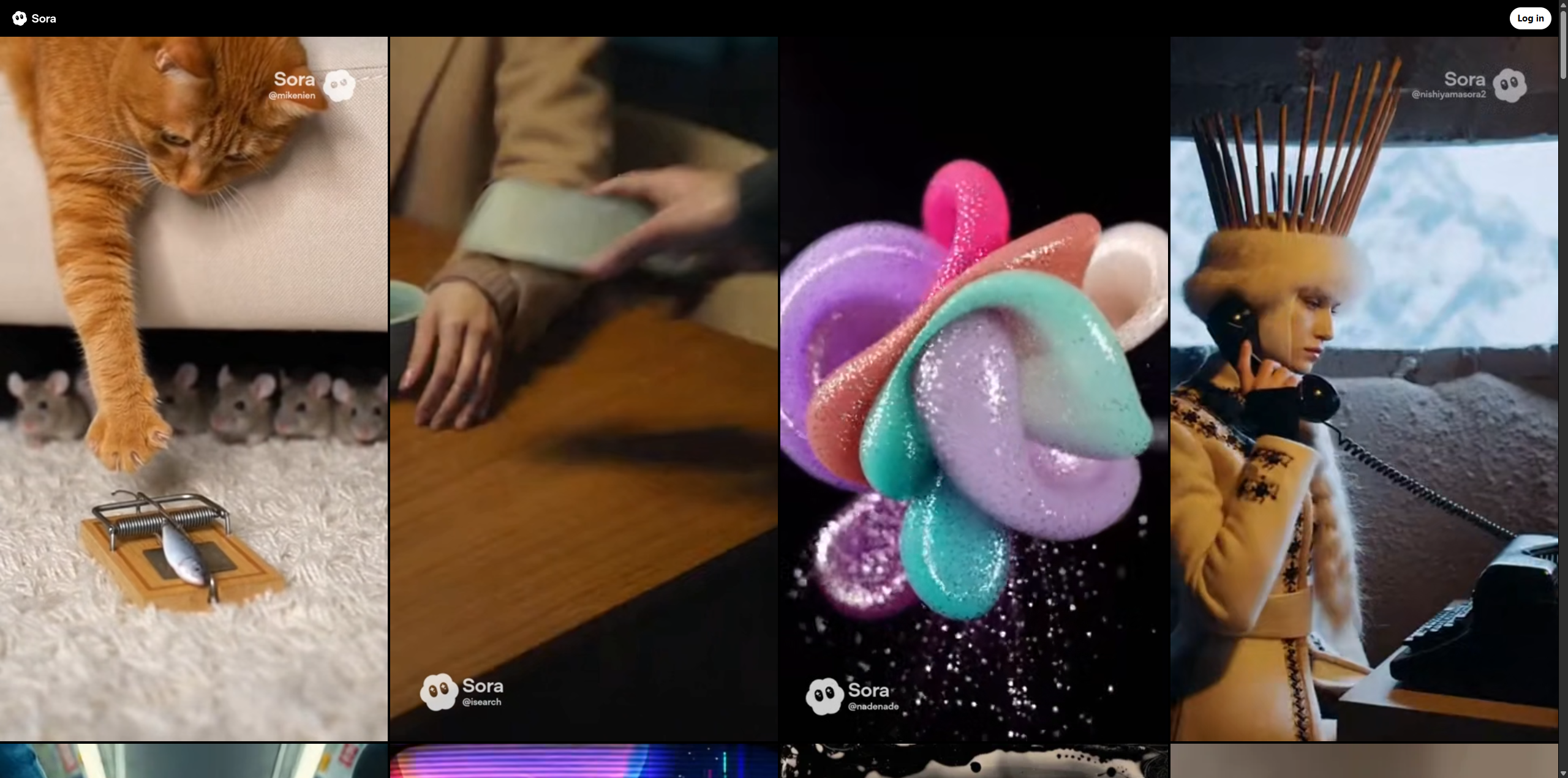
- Sora Mobile App: Sora is no longer just a web tool; it has a dedicated mobile app that feels like a social network. Users can scroll through a feed of community-generated videos, remix existing clips, and generate their own content directly from their phones. This "remix" culture is central to the Sora experience.
- Video Extension & Editing: Sora allows users to take an existing video and extend it forward or backward in time. If you have a clip that ends too abruptly, Sora can predict what happens next. Additionally, it can edit videos by changing the setting or style (e.g., changing a sunny day to a snowy one) while keeping the original subject and motion intact.
- Image-to-Video Animation: Beyond text, Sora can breathe life into still images. You can upload a static photo, and Sora will animate it with complex motion—turning a JPEG of a waterfall into a flowing video or making a portrait blink and smile.
Use Cases
- For Filmmakers: Directors use Sora to create rapid "videoboards" instead of static storyboards. This allows them to visualize camera angles, lighting, and mood before a single real camera starts rolling, saving thousands in pre-production costs.
- For Social Media Marketers: Sora is perfect for creating viral, trend-based content. Marketers can generate high-quality product showcases or meme-style videos in minutes, bypassing the need for expensive stock footage subscriptions.
- For Educators: Teachers use Sora to visualize historical events or scientific concepts. Imagine showing students a realistic, AI-generated clip of "life in Ancient Rome" or "red blood cells moving through a vein" to make abstract lessons tangible.
Pricing Plans
Sora is integrated into OpenAI’s broader subscription ecosystem, with access tiers designed for different levels of usage.
- ChatGPT Plus: For $20/month, users get access to Sora with standard limits. This includes the ability to generate short clips (typically up to 10-15 seconds) and access the community feed. It is perfect for hobbyists and casual creators.
- ChatGPT Pro: Targeted at power users, this plan costs $200/month. It unlocks the full potential of Sora, allowing for longer video generation (up to 20+ seconds), higher resolution (1080p), and faster processing times. Pro users also get priority access to new features like advanced camera controls.
- Free Access: OpenAI occasionally offers limited free generations via the Sora mobile app to encourage adoption, though these clips may come with watermarks and lower resolution compared to paid plans.
Pros & Cons
Pros
- Sora generates the most visually realistic AI video currently available, with excellent lighting and texture.
- The addition of synchronized audio makes Sora videos feel complete and immersive right out of the box.
- The mobile app interface makes Sora incredibly accessible, lowering the barrier to entry for non-technical users.
- Sora excels at "object permanence," meaning characters and objects don't randomly disappear or morph as they move off-screen.
Cons
- Despite improvements, Sora still struggles with complex physics, sometimes causing objects to merge or move unnaturally (e.g., a glass passing through a table).
- The $200/month price tag for the Pro plan makes the best version of Sora prohibitively expensive for many freelancers.
- Sora has strict safety filters that can sometimes block innocuous prompts, leading to user frustration.
- Videos generated by Sora are watermarked, which can be distracting for professional presentations unless you are on a high-tier plan.