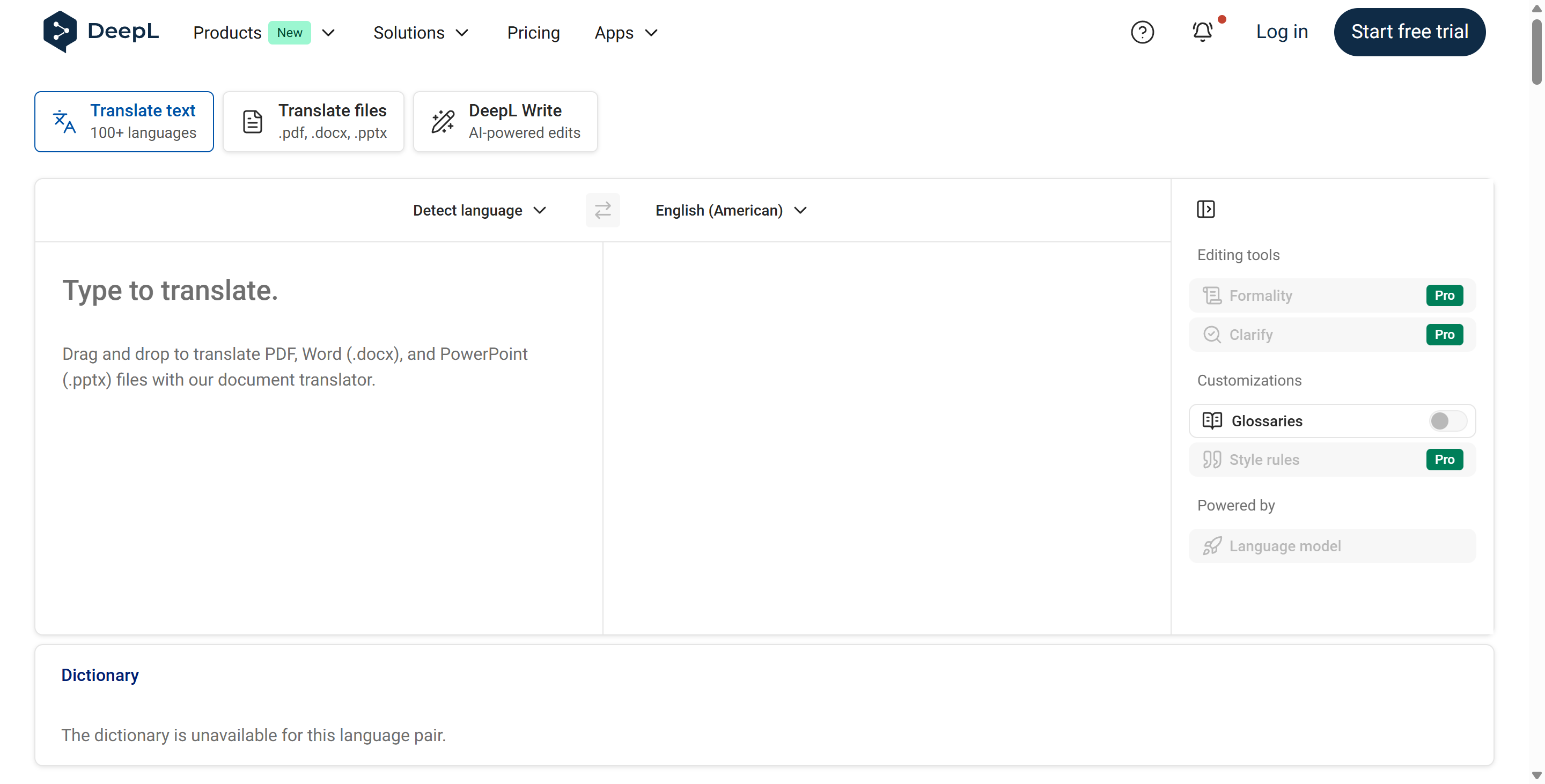
DeepL has quietly but decisively dethroned tech giants to become the gold standard for AI-powered translation. While Google and Microsoft offer breadth, DeepL offers unparalleled depth and nuance. Launched by a German team that previously developed the search engine Linguee, DeepL utilizes proprietary deep learning architecture specifically tuned to grasp the subtleties of human language. Rather than simply swapping words one-for-one, DeepL understands context, idioms, and tone, resulting in translations that often read as if they were written by a native speaker.
The core problem DeepL addresses is the "robotic" feel of traditional machine translation. For businesses and professionals, a clumsy translation can look unprofessional or even offensive. DeepL solves this by training its supercomputer-powered neural networks on a massive database of high-quality human translations. This allows DeepL to predict the most likely phrasing for a given sentence structure, vastly outperforming competitors in blind tests, particularly for European languages and Asian languages like Japanese and Chinese. Beyond simple text, DeepL has evolved into a full communication suite. With the introduction of DeepL Write, the platform now helps users refine their writing in their own language, fixing grammar and improving style. For enterprises concerned about data leaks, DeepL offers strict data privacy guarantees, making it the preferred choice for handling sensitive corporate contracts and internal communications.
Key Features
- Neural Machine Translation (NMT): The engine behind DeepL is a sophisticated neural network that mimics the human brain's ability to process language. Unlike statistical models, DeepL looks at entire sentences and paragraphs to determine meaning. This allows DeepL to capture nuance—knowing when "bank" means a financial institution versus a river edge—resulting in fluency that rivals professional human translators.
- Advanced Document Translation: DeepL solves the headache of reformatting translated files. Users can drag and drop entire PowerPoint presentations (.pptx), Word documents (.docx), or PDFs into DeepL. The AI translates the text while preserving the original fonts, images, and layout perfectly. This feature alone saves professionals hours of copy-pasting and reformatting time, allowing a user to read a foreign financial report in seconds using DeepL.
- DeepL Write: Going beyond translation, DeepL features an AI writing assistant called DeepL Write. This tool analyzes your text (currently supporting English and German) and suggests improvements for grammar, tone, and phrasing. Whether you are writing an email to a boss or a creative essay, DeepL helps you polish your prose, offering options to make the text sound more "professional," "enthusiastic," or "simple."
- Custom Glossaries: For businesses with specific terminology, DeepL allows the creation of Glossaries. You can teach DeepL that a specific product name or technical term should always be translated in a certain way (or not translated at all). This ensures brand consistency across all communications, preventing DeepL from accidentally translating a proper noun like "Apple" into the fruit.
Use Cases
- For Global Enterprises: Multinational companies use DeepL to break down internal language barriers. An employee in Berlin can draft a report in German, and their colleague in Tokyo can read it instantly in Japanese using DeepL, with the assurance that the technical details remain accurate and the data remains secure.
- For Freelance Translators: Professional translators use DeepL as a "catapult." Instead of translating from scratch, they use DeepL to generate a high-quality first draft (Post-Editing), which they then refine. This workflow can double or triple a translator's daily output without sacrificing quality.
- For Expatriates and Travelers: People living abroad rely on DeepL to navigate bureaucracy. From understanding rental contracts to reading medical letters, DeepL provides the high-fidelity translation needed for serious life situations where a mistranslation could have legal consequences.
Pricing Plans
DeepL operates on a tiered model that caters to everyone from casual users to security-conscious corporations.
The DeepL Free version is incredibly powerful and accessible. It allows users to translate unlimited text (with a character limit per translation, typically around 1,500 - 3,000 characters) and a limited number of documents per month (usually 3). However, the free version of DeepL does not guarantee data privacy; the text you translate may be used to train their models.
The DeepL Pro Starter plan (approx. $8.74/user/month) is the entry point for professionals. It offers unlimited text translation and increases the document limit (e.g., 5 files/month). Crucially, this plan unlocks Maximum Data Security, ensuring that DeepL deletes your texts immediately after translation and never uses them for training.
The DeepL Pro Advanced plan (approx. $28.74/user/month) is the "sweet spot" for teams. It allows for integration into Computer Assisted Translation (CAT) tools used by pros and includes a higher document limit (20 files/month). It also allows users to create more extensive glossaries within DeepL.
The DeepL Pro Ultimate plan (approx. $57.49/user/month) is for heavy-duty users, offering 100 document translations per month and extended team administrative controls. There is also a separate DeepL API plan for developers who want to build DeepL translation capabilities directly into their own apps or websites.
Pros & Cons
Pros
- DeepL consistently provides the most natural and grammatically correct translations of any AI tool on the market.
- The document translation feature preserves complex formatting (tables, charts) better than competitors.
- DeepL Pro offers ironclad data security guarantees, making it safe for legal and medical use.
- The desktop apps for Windows and Mac allow users to translate text in any application just by highlighting it and pressing a shortcut (Ctrl+C+C).
- DeepL handles idioms and slang surprisingly well, avoiding the literal translation errors common in older systems.
Cons
- DeepL supports fewer languages (approx. 30+) compared to Google Translate (130+), focusing on quality over quantity.
- The free version of DeepL has strict character limits, requiring users to break long texts into smaller chunks.
- DeepL does not yet have a robust "real-time conversation" mode (voice-to-voice) that rivals the Google Translate mobile app.
- Some niche technical or scientific jargon may still require a human expert, as DeepL can occasionally "smooth out" specific terms too much.